
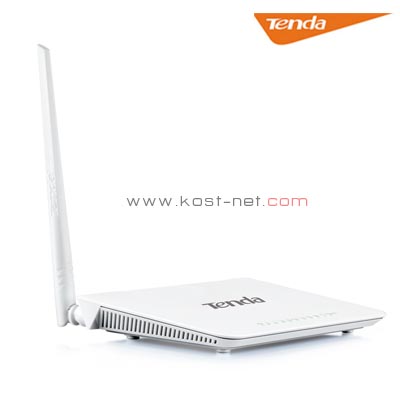

Product Description
Standard&Protocol
IEEE 802.11n, IEEE 802.11g, IEEE 802.11b
IEEE 802.3, IEEE 802.3u
ANSI T1.413, ITU G.992.1, ITU G.992.2, ITU G.992.3, ITU G.992.5
IEEE 802.3, IEEE 802.3u
ANSI T1.413, ITU G.992.1, ITU G.992.2, ITU G.992.3, ITU G.992.5
Interface
1* RJ11 port
3*10/100Mbps auto-negotiation (Auto MDI/MDIX) LAN ports
1*10/100Mbps auto-negotiation WAN/LAN Interchangeable port (Auto MDI/MDIX)
3*10/100Mbps auto-negotiation (Auto MDI/MDIX) LAN ports
1*10/100Mbps auto-negotiation WAN/LAN Interchangeable port (Auto MDI/MDIX)
Antenna
1* external omni-directional antenna
Button
1* Power
1* Reset/WPS
1* Reset/WPS
Power
Input: 100-240V 50/60MHz
Output: 9V DC-1A
Output: 9V DC-1A
Humidity
Operating Humility:10% ~ 90% RH Non-condensing Storage
Humility:5% ~ 90% RH Non-condensing
Humility:5% ~ 90% RH Non-condensing
Dimension
171.61mm*111.16mm*34.47mm (L*W*H) mm
LED
Power/SYS/Internet/DSL/WLAN/LAN/WPS
Transmission Media
Cat.5
Cat.5e
Cat.6
Phone Cable
Cat.5e
Cat.6
Phone Cable
Wireless Speed
150Mbps
Frequency
2.4GHZ
Basic Features
Wireless Radio: On/Off
SSID Broadcast: On/Off
WDS: On/Off
Channel: Auto, 1-13
Network Mode: 11b only, 11g only, 11n only, 11bg mixed, 11bgn mixed
Channel Bandwidth: Auto, 20MHz, 40MHz
SSID Broadcast: On/Off
WDS: On/Off
Channel: Auto, 1-13
Network Mode: 11b only, 11g only, 11n only, 11bg mixed, 11bgn mixed
Channel Bandwidth: Auto, 20MHz, 40MHz
Security
Wireless Access Control (Wireless MAC filter)
Wireless Security: Enable/Disable
64-/128-bit WEP
WPA-PSK/WPA2-PSK
Wireless Security: Enable/Disable
64-/128-bit WEP
WPA-PSK/WPA2-PSK
Operating Mode
Wireless ADSL/ADSL2+ Modem Router, WDS
Internet Connection Type
Dynamic IP
Static IP
PPPoE
PPPoA
IPoA
Static IP
PPPoE
PPPoA
IPoA
DHCP Server
Yes
Virtual Server
Yes
Security
Port/URL/MAC Filter
DDNS
Yes
TR-069
Yes
VPN Pass-through
PPPTP, L2TP, Ipsec
Bandwidth Control
Yes
Static Routing
Yes
Logs
Yes
VLAN
802.1Q VLAN
USB V2.0
No
Other
TR-069, IPV6, IPTV
Package Content
D151
Power Adapter
Quick Install Guide
Ethernet Cable
ADSL Splitter
2 Telephone Lines
Power Adapter
Quick Install Guide
Ethernet Cable
ADSL Splitter
2 Telephone Lines
Temperature
Operating Temperature: 0℃ ~ 40℃
Storage Temperature: -40℃ ~ 70℃.
Storage Temperature: -40℃ ~ 70℃.
Default Settings
Login IP Address: 192.168.1.1
Internet Connection Types: Bridge,PPPoE,PPPoA,IPoA,DHCP (Dynamic IP), Static IP
IP Address Pool: 192.168.1.2 – 192.168.1.254
Internet Connection Types: Bridge,PPPoE,PPPoA,IPoA,DHCP (Dynamic IP), Static IP
IP Address Pool: 192.168.1.2 – 192.168.1.254
3 Install Steps
Step 1. Connect all cables following the QIG.
Step 2.Insert the CD into your PC’s drive.
Step 2.Insert the CD into your PC’s drive.
Certification
3C/ROHS/CE/FCC


Reviews
There are no reviews yet.